
If you run a small business, you probably spend a significant part of your week in meetings — client calls, team check-ins, sales conversations, vendor discussions. And after every single one, there is the same tedious task waiting: writing up notes, remembering what was agreed, and following up on action items before they slip through the cracks.
AI meeting assistants exist to solve exactly this problem. These tools quietly join your video calls, or record audio directly from your device, then automatically transcribe the conversation, generate a clear summary, and pull out action items — all without you lifting a pen.
In 2026, this category has matured significantly. What used to be simple transcription tools have evolved into intelligent assistants that sync notes directly to your CRM, track deal progress across multiple sales calls, and even offer completely private, bot-free recording for businesses concerned about data privacy.
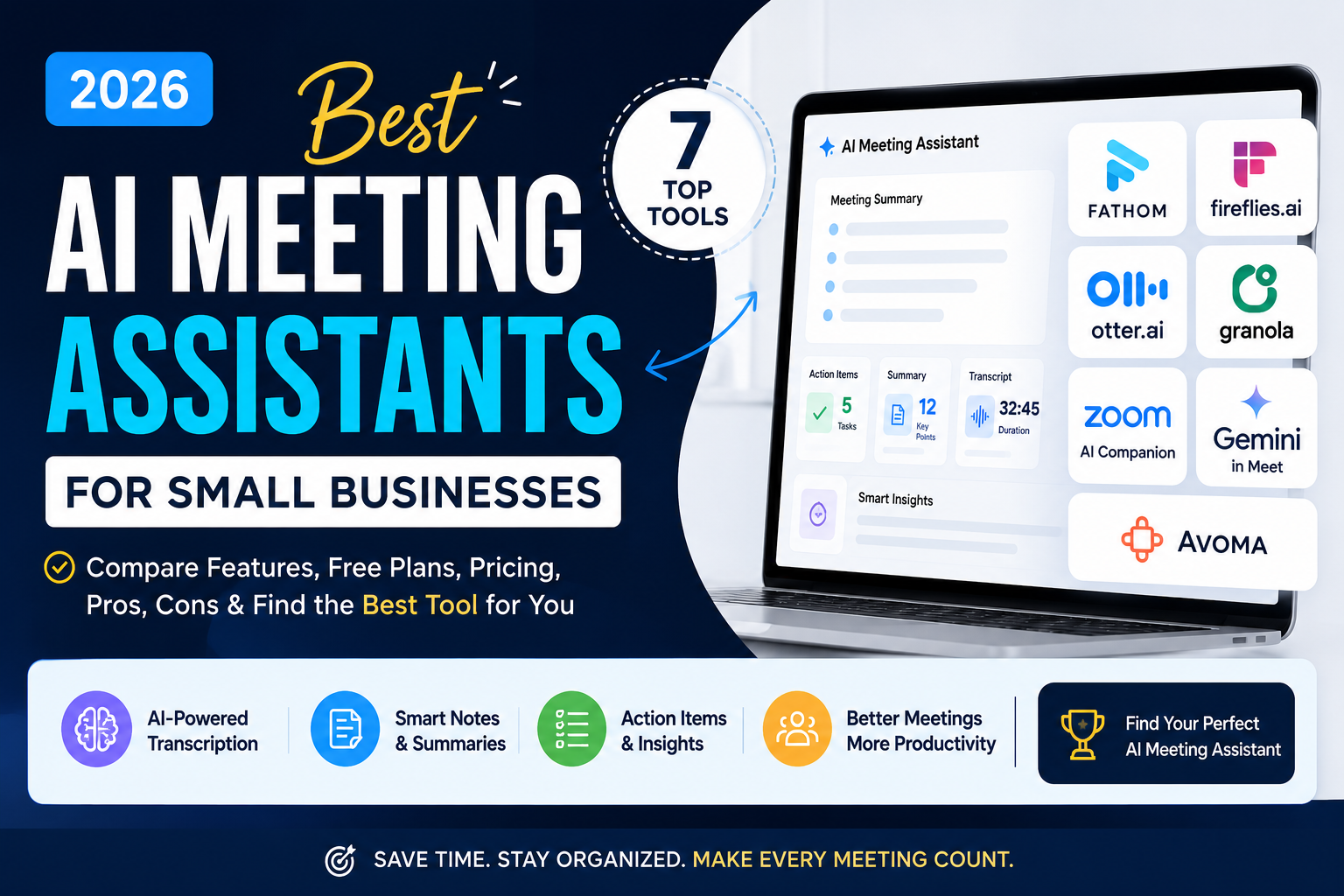
In this guide, we compare the 7 best AI meeting assistants for small businesses in 2026 — helping you choose the right tool based on your budget, your team size, and exactly what you need a meeting assistant to do.
AI meeting assistants are only one part of a modern AI-powered business workflow. If you're looking for more practical tools, explore our guide to 7 Best Free AI Tools Every Small Business Should Use in 2026 .Quick Comparison — 7 Best AI Meeting Assistants (2026)
| # | Tool | Best For | Free Plan | Starting Price | Rating |
|---|---|---|---|---|---|
| 1 | Fathom | Unlimited free recording | ✅ Unlimited | $15/month | ★★★★★ |
| 2 | Fireflies.ai | CRM & sales integration | ✅ Yes | $10/user/mo | ★★★★☆ |
| 3 | Otter.ai | Simple team note-taking | ✅ Generous | $8.33/user/mo | ★★★★☆ |
| 4 | Granola | Active note-takers | ✅ Limited | $14/user/month | ★★★★☆ |
| 5 | Zoom AI Companion | Existing Zoom users | ✅ With plan | Included in Zoom | ★★★★☆ |
| 6 | Google Gemini in Meet | Google Workspace users | ✅ With plan | $22/user/mo | ★★★★☆ |
| 7 | Avoma | Sales coaching & CRM | Trial only | $19/seat/mo | ★★★★☆ |
The 7 Best AI Meeting Assistants for Small Businesses in 2026
Fathom
🆓 Unlimited Free Plan Best for: Small businesses on a budget who want unlimited recording
Fathom ai stands out in 2026 for offering one of the most generous free plans in the entire AI meeting assistant category. While most competitors limit free users to a handful of meetings per month, Fathom allows genuinely unlimited recordings and storage at absolutely no cost — a rare offer in this space.
Originally built as a sales-focused tool, Fathom has grown into a strong general-purpose meeting assistant. It joins your Zoom, Google Meet, or Microsoft Teams calls, records automatically, and generates clear summaries after each meeting. It also connects directly with HubSpot and Salesforce, automatically updating deal records based on what was discussed — a huge time-saver for small sales teams.
How Small Business Owners Use Fathom
- Recording and storing all client calls at zero cost
- Automatically syncing sales call details into HubSpot or Salesforce
- Reviewing past meeting summaries before follow-up calls
- Sharing meeting highlights with team members who missed the call
- Building a searchable archive of all client conversations over time
✅ Pros
- ✅ Genuinely unlimited free recording
- ✅ Strong CRM integrations
- ✅ Deal view summarizes multiple calls
- ✅ Works across Zoom, Meet and Teams
❌ Cons
- ❌ AI summaries capped at 5/month free
- ❌ No mobile app currently
- ❌ Visible bot may feel intrusive to some
Fireflies.ai
🆓 Free Plan Available Best for: Sales and customer success teams needing CRM automation
Fireflies.ai has built a strong reputation specifically among sales and customer success teams for one core reason: it excels at pushing meeting information directly into the tools businesses already rely on. Every call gets recorded, transcribed, and automatically synced to your CRM — eliminating the tedious manual data entry that eats into a salesperson's day.
Beyond basic transcription, Fireflies analyzes conversations for important sales signals like objections raised, pricing discussions, and agreed next steps. For a small business where the meeting record and what happens afterward in your sales pipeline matter more than in-the-moment coaching, Fireflies is purpose-built for that workflow.
How Small Business Owners Use Fireflies.ai
- Automatically logging sales call notes into the CRM without typing
- Tracking objections and pricing discussions across multiple calls
- Searching past meeting transcripts for specific keywords or topics
- Sharing call recaps with team members automatically after each meeting
- Identifying recurring customer concerns across support calls
✅ Pros
- ✅ Unlimited free transcription
- ✅ Excellent CRM automation
- ✅ Strong topic and keyword analysis
- ✅ Affordable paid tier
❌ Cons
- ❌ 400-minute storage limit on free plan
- ❌ Best features locked behind paid plan
- ❌ Less useful for non-sales meetings
Otter.ai
🆓 Generous Free Plan Best for: Teams wanting a simple, reliable note-taker
Otter.ai remains one of the most straightforward and reliable choices for teams that simply want accurate meeting notes without a complicated feature set. It focuses primarily on post-meeting documentation — recording, transcribing, and organizing your conversations clearly rather than trying to be an in-meeting coach.
One practical advantage Otter offers is support for in-person meeting capture through its mobile app, allowing it to record and transcribe audio even when a meeting is not happening over video call. This makes it a flexible choice for small business owners who mix in-person meetings with virtual calls throughout their week.
How Small Business Owners Use Otter.ai
- Recording in-person meetings using the mobile app
- Generating quick, clear transcripts for team check-ins
- Sharing searchable meeting notes with remote team members
- Creating a simple archive of client conversations
- Capturing lengthy discussions without missing key details
✅ Pros
- ✅ Simple and easy to learn
- ✅ Works for in-person meetings too
- ✅ Generous free tier
- ✅ Reliable transcription accuracy
❌ Cons
- ❌ No real-time coaching features
- ❌ Focused mainly on documentation
- ❌ Fewer CRM integrations than competitors
Granola
⚡ Limited Free Plan Best for: Business owners who like taking their own notes too
Granola.ai takes a genuinely different approach compared to most AI meeting assistants on this list. Rather than passively recording everything in the background, Granola acts as an enhanced notepad — you jot down your own rough notes during the meeting, just like you always would, and Granola automatically enriches them afterward using the full meeting transcript.
This desktop-based tool captures audio directly from your device rather than joining as a visible bot participant, which many users find less intrusive during client calls. If you are someone who likes staying actively engaged in meetings by jotting quick notes, but wants those rough notes automatically expanded into complete, polished summaries, Granola fits that workflow perfectly.
How Small Business Owners Use Granola
- Jotting quick notes during meetings that get automatically enhanced
- Recording client calls discreetly without a visible bot joining
- Building detailed sprint or project retrospective notes
- Keeping meeting documentation private and desktop-based
- Creating polished notes without disrupting the natural meeting flow
✅ Pros
- ✅ No visible bot in your meetings
- ✅ Enhances your own note-taking style
- ✅ Feels natural and non-intrusive
- ✅ Good for privacy-conscious teams
❌ Cons
- ❌ Limited free plan
- ❌ Desktop-only, less flexible
- ❌ Requires active participation to get full value
Zoom AI Companion
🆓 Included with Zoom Plans Best for: Businesses that already run meetings on Zoom
If your small business already conducts most meetings through Zoom, AI Companion is the most convenient option available — because there is nothing extra to set up. It works natively inside the platform you are already using, automatically generating meeting summaries, smart recordings, and action items without requiring any third-party app or additional bot joining your call.
Zoom has continued expanding AI Companion's capabilities throughout 2026, adding features like automatic highlight reels of key meeting moments and smarter chapter breakdowns within recordings, making it easier to jump directly to the parts of a meeting that matter most.
How Small Business Owners Use Zoom AI Companion
- Getting automatic meeting summaries with zero extra setup
- Generating smart chapter breakdowns of recorded calls
- Reviewing highlight reels of key discussion moments
- Extracting action items directly within the Zoom interface
- Keeping all meeting tools consolidated in one platform
✅ Pros
- ✅ Zero extra setup or bot
- ✅ Native, seamless experience
- ✅ Included with existing paid plans
- ✅ Regularly updated with new features
❌ Cons
- ❌ Only works within Zoom
- ❌ Requires a paid Zoom plan
- ❌ Fewer CRM integrations than dedicated tools
Google Gemini in Meet
🆓 Included with Workspace Plans Best for: Teams standardized entirely on Google Workspace
For small businesses built entirely around Google Workspace — where every meeting happens on Google Meet and every note ultimately lands in Google Docs — Gemini's integration inside Meet is the most natural fit available. Meeting notes, summaries, and action items are generated automatically and saved directly into your existing Google Drive structure.
The Business Plus plan extends this further with support for meetings up to 500 participants and advanced security features, while full Gemini access is bundled directly into the subscription rather than requiring a separate AI tool purchase. For businesses that value having everything inside one connected ecosystem, this integration removes significant friction.
How Small Business Owners Use Gemini in Meet
- Automatically saving meeting notes directly into Google Docs
- Generating summaries for large team meetings and webinars
- Keeping all business documentation inside one Google ecosystem
- Using advanced security features for sensitive client discussions
- Accessing meeting summaries alongside emails and calendar in one place
✅ Pros
- ✅ Seamless Google Workspace integration
- ✅ Supports very large meetings
- ✅ Strong enterprise-grade security options
- ✅ No separate app required
❌ Cons
- ❌ Higher price point than dedicated tools
- ❌ Only useful if fully on Google Workspace
- ❌ Less specialized than sales-focused tools
Avoma
⚡ Trial Available Best for: Sales teams wanting deal tracking & call coaching
Avoma is built specifically around sales workflows, deal stage tracking, and call coaching — making it a natural fit for B2B small businesses with a dedicated sales process. It goes beyond basic transcription by analyzing conversation patterns, tracking talk-to-listen ratios, and identifying coaching moments that help sales reps improve over time.
For small businesses that have outgrown simple note-taking tools and need genuine conversation intelligence — understanding not just what was said, but how deals are progressing across multiple calls with the same prospect — Avoma offers a more accessible entry point into this category compared to enterprise-level competitors.
How Small Sales Teams Use Avoma
- Tracking deal progress automatically across multiple sales calls
- Reviewing talk-to-listen ratios to coach sales reps
- Identifying common objections across the sales team
- Analyzing methodology adherence during sales conversations
- Building a searchable library of winning sales call examples
✅ Pros
- ✅ Genuine sales coaching insights
- ✅ Strong deal-stage tracking
- ✅ More affordable than enterprise competitors
- ✅ Useful for team performance reviews
❌ Cons
- ❌ No permanent free plan
- ❌ Overkill for non-sales use cases
- ❌ Learning curve for coaching features
Which AI Meeting Assistant Is Right for You?
The right choice depends on your existing tools, your team size, and what you actually need a meeting assistant to accomplish. Here is a straightforward guide:
| If Your Priority Is... | Best Tool to Use |
|---|---|
| Starting completely free with unlimited recording | Fathom |
| Automating notes directly into your CRM | Fireflies.ai |
| Simple, reliable notes with in-person support | Otter.ai |
| Keeping your own active note-taking style | Granola |
| Zero setup if you already use Zoom | Zoom AI Companion |
| Full Google Workspace integration | Google Gemini in Meet |
| Sales call coaching and deal tracking | Avoma |
Getting Started — Your First Week Action Plan
If you are new to AI meeting assistants, here is a simple plan to find the right fit without overwhelming yourself:
Start with Fathom (Free)
Sign up free at fathom.video and connect it to your next Zoom or Google Meet call. Experience unlimited recording at zero cost.
Check Your Existing Tools
If you already pay for Zoom or Google Workspace, check whether AI Companion or Gemini in Meet is already included in your plan.
Try Fireflies for CRM Sync
If you use a CRM for sales, test Fireflies' free tier to see how automatic CRM syncing saves you manual data entry time.
Set Team Guidelines
Before rolling out to your whole team, agree on when recording will be used and always inform meeting participants in advance.
InfinoDigi's Top 3 Recommendations
Fathom
Unlimited free recording makes it the easiest, lowest-risk way for any small business to start.
Fireflies.ai
Deep CRM integration turns every sales call into automatic pipeline data — huge time saver.
Otter.ai
No frills, easy to learn, and works for both virtual and in-person meetings.
Frequently Asked Questions
Q Are AI meeting assistants free to use?
Several tools on this list — including Fathom, Fireflies.ai, and Otter.ai — offer genuinely useful free plans. Fathom stands out with unlimited free recording, while Fireflies and Otter offer generous but capped free tiers. Tools like Avoma and premium platform add-ons like Zoom AI Companion or Gemini in Meet typically require a paid subscription or plan upgrade.
Q Is it legal to record meetings with an AI assistant?
Recording laws vary by country and region, with some requiring consent from all participants before recording. Always inform meeting attendees that an AI assistant will be recording and transcribing the conversation before it begins. Most tools display a visible notification or bot presence to help maintain transparency, and it is good practice to mention it verbally as well.
Q Can AI meeting assistants record in-person meetings, not just video calls?
Yes, several tools support this through mobile apps that capture audio directly from your phone. Otter.ai is particularly well known for this feature, making it a flexible choice for small business owners who split their time between virtual and in-person meetings. Always check that in-person functionality is specifically supported before relying on it for an important meeting.
Q Will using an AI meeting assistant make my team uncomfortable?
This is a genuine consideration. Some participants may feel less comfortable speaking openly when they know a conversation is being recorded and transcribed. To minimize this, always disclose recording in advance, explain how the notes will be used, and consider tools like Granola that avoid a visible bot joining the call, which some teams find less intrusive than traditional recording bots.
Q Which tool should a solo business owner start with?
Start with Fathom. Its unlimited free recording plan means there is no financial risk in trying it, and it works across the major video call platforms most small business owners already use — Zoom, Google Meet, and Microsoft Teams. If you later find yourself needing deeper CRM integration for sales calls, Fireflies.ai is a natural next step.
Ready to Stop Taking Manual Meeting Notes?
Explore more free AI guides, honest tool reviews, and weekly tips — all written specifically for small business owners. New guides published every week.
Read More Free Guides →Final Thoughts
Meetings will always be a core part of running a small business — but manually documenting every conversation no longer has to be. The 7 AI meeting assistants covered in this guide each solve the same core problem in slightly different ways, giving you real options regardless of your budget or existing tech stack.
If you want to test the waters without spending anything, Fathom's unlimited free plan is the obvious starting point. If your business runs on sales calls and CRM data, Fireflies.ai will save you hours of manual entry every week. And if you already pay for Zoom or Google Workspace, check what AI meeting features might already be included before adding another subscription.
Whichever tool you choose, the outcome is the same: more accurate meeting records, less time spent on documentation, and more time available to actually grow your business.
If this guide helped you, subscribe to our free weekly newsletter below. Every week we publish practical AI tips, honest tool reviews, and step-by-step guides specifically for small business owners — completely free.
InfinoDigi Team
InfinoDigi is dedicated to helping small business owners grow smarter using artificial intelligence. We test, review, and explain AI tools in plain English — no tech background required. New guides published every week at infinodigi.com.