
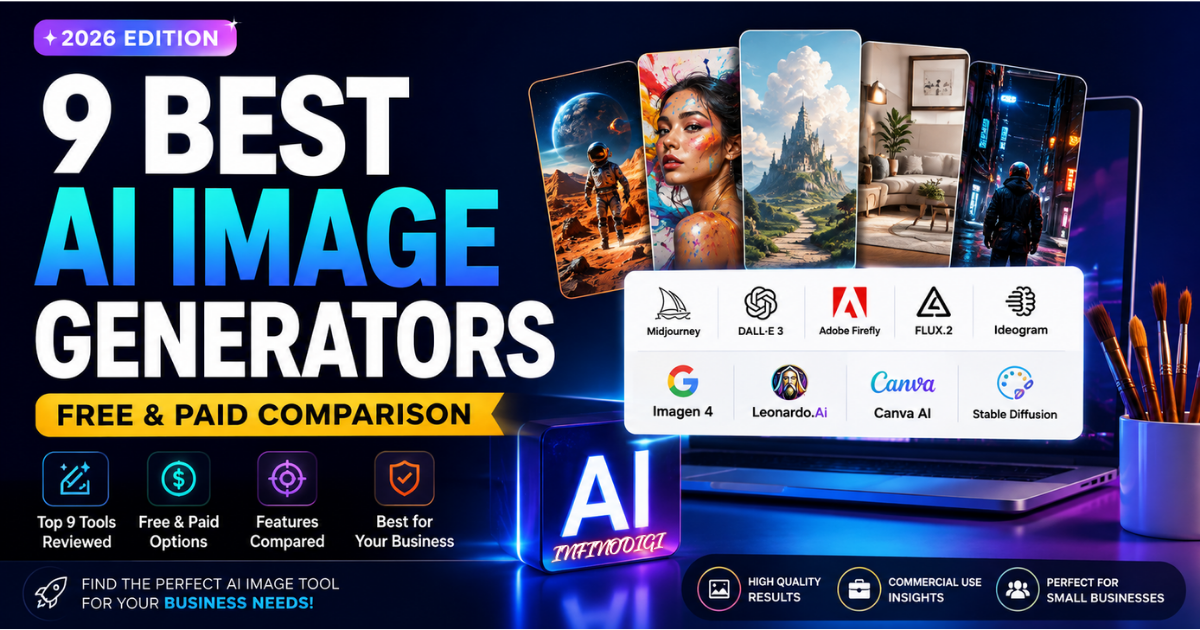
The AI image generation landscape in 2026 looks nothing like it did just 18 months ago. Tools that used to produce blurry, distorted images now generate photorealistic visuals that are virtually indistinguishable from professional photography. Text inside images — which was notoriously unreliable in 2024 — is now handled accurately by multiple leading tools. And the number of practical use cases has expanded from digital art into real commercial applications.
For small business owners, marketers, and content creators, this is genuinely exciting news. Creating professional-quality images for your website, social media, product listings, and marketing campaigns no longer requires an expensive photographer, a professional designer, or weeks of waiting time.
But with over a dozen serious tools competing for your attention in 2026, choosing the right one can feel overwhelming. Different generators excel at completely different tasks — and picking the wrong tool for your specific needs means wasted money and disappointing results.
In this guide, we break down the 9 best AI image generators available right now, comparing each on image quality, pricing, free plan access, ease of use, and the types of work they handle best — so you can make a confident, informed decision.
If you're also looking for AI tools that can help with writing, emails, and content creation, check out our guide to 9 Best AI Writing Tools for Small Businesses in 2026.
Quick Comparison — 9 Best AI Image Generators (2026)
| # | Tool | Best For | Free Plan | Starting Price | Rating |
|---|---|---|---|---|---|
| 1 | Midjourney V8.2 | Artistic & cinematic images | ❌ No | $10/month | ★★★★★ |
| 2 | GPT Image 2 | Prompt accuracy & text | ⚡ Via ChatGPT free | ~$0.006/image API | ★★★★★ |
| 3 | Adobe Firefly | Commercial-safe images | ⚡ Limited trial | $9.99/month | ★★★★☆ |
| 4 | FLUX.2 | Photorealism & API use | ✅ Dev (open-source) | $0.03/MP API | ★★★★★ |
| 5 | Ideogram 4.0 | Text & typography in images | ✅ Yes | Free / Paid plans | ★★★★☆ |
| 6 | Google Imagen 4 | Free high-quality images | ✅ Via Gemini free | Free / API pricing | ★★★★☆ |
| 7 | Leonardo AI | Creative control & real-time canvas | ✅ Yes | Free / $30/month | ★★★★☆ |
| 8 | Canva AI | Beginners & design workflow | ✅ Yes | Free / $15/month | ★★★★☆ |
| 9 | Stable Diffusion 3.5 | Free open-source generation | ✅ Completely Free | $0 (self-hosted) | ★★★★☆ |
The 9 Best AI Image Generators in 2026 — Full Reviews
Midjourney V8.2
💳 Paid Only — From $10/month Best for: Artistic images, cinematic photography, social media visuals
Midjourney remains the gold standard for artistic and visually stunning AI-generated images in 2026. Version 8.2, which became the default model in July 2026, delivers the most aesthetically polished output in the industry — producing images with cinematic depth, rich textures, and an instantly recognizable visual quality that other tools still struggle to match.
What makes Midjourney special is not just technical quality but artistic judgment. Where most AI image generators interpret prompts literally, Midjourney interprets them creatively — producing images that feel composed and intentional rather than mechanically generated. For social media content, marketing visuals, blog headers, and brand imagery, the results consistently stand out.
Best Uses for Small Business Owners
- Creating stunning social media posts and cover images
- Producing professional blog post header images
- Generating eye-catching marketing banners and ads
- Creating brand lifestyle imagery without a photographer
- Building consistent visual identity across all platforms
✅ Pros
- ✅ Best artistic output in the industry
- ✅ 2K native resolution in V8.2
- ✅ Web app interface — no Discord needed
- ✅ Standard plan ($30) offers unlimited Relax generations
- ✅ Perfect for brand and marketing visuals
❌ Cons
- ❌ No free plan available
- ❌ Images on Basic plan are public by default
- ❌ Prompt adherence can be inconsistent
- ❌ Less suited for photorealistic product photography
GPT Image 2
⚡ Limited via ChatGPT Free Best for: Prompt accuracy, text in images & marketing graphics
GPT Image 2 — OpenAI's successor to DALL-E 3 — has rapidly become one of the most production-ready AI image generators available in 2026. Its standout strength is prompt adherence: when you describe exactly what you want, GPT Image 2 delivers it with remarkable accuracy. Where other tools might interpret your instructions loosely, GPT Image 2 follows them precisely.
Perhaps most impressively, GPT Image 2 leads the industry in text rendering accuracy inside images. Generating readable, accurate text in marketing graphics, social media posts, and promotional banners — a task that frustrated users of every major tool just 18 months ago — is now reliably handled by GPT Image 2. This alone makes it a game-changer for marketers and business owners.
Best Uses for Small Business Owners
- Creating marketing banners with accurate text overlays
- Producing consistent product mockup images
- Generating social media graphics with readable captions built in
- Creating precise illustrations that match detailed descriptions
- Building promotional flyers and event graphics
✅ Pros
- ✅ Best prompt accuracy of any tool
- ✅ Industry-leading text rendering
- ✅ Accessible via ChatGPT free tier
- ✅ Great for production marketing work
- ✅ Multilingual text support
❌ Cons
- ❌ Free tier has generation limits
- ❌ Less artistic than Midjourney
- ❌ API access requires OpenAI account
Adobe Firefly Image 3
⚡ Limited Free Trial Best for: Legally safe commercial images, enterprise use
Adobe Firefly stands apart from every other AI image generator on this list for one critically important reason: it is trained exclusively on licensed Adobe Stock images and public domain content. This means every image you generate with Firefly is commercially safe — free from copyright concerns, intellectual property disputes, and legal risks that can affect businesses using other AI image tools.
For businesses that use Adobe Creative Cloud — including Photoshop, Illustrator, and Adobe Express — Firefly integrates directly into the workflow. Generated images drop seamlessly into existing design projects without switching platforms. In 2026, Firefly also gained the ability to add AI-generated elements to existing photos, remove backgrounds with one click, and recolor vector artwork intelligently.
Best Uses for Small Business Owners
- Creating client-facing commercial imagery without legal risk
- Generating images for advertising campaigns and paid media
- Editing and enhancing product photos using AI tools
- Adding AI-generated elements to existing brand photography
- Creating text effects and graphic design elements
✅ Pros
- ✅ 100% commercially safe images
- ✅ Integrates directly with Adobe apps
- ✅ Trained on licensed data only
- ✅ Content Credentials for provenance tracking
- ✅ Text effects and vector recoloring
❌ Cons
- ❌ Image quality below Midjourney and FLUX
- ❌ Requires Adobe subscription for full access
- ❌ Limited free trial only
FLUX.2
✅ Free (Dev/Open-Source) Best for: Photorealism, API integration & developer use
FLUX.2, released by Black Forest Labs in January 2026, has quickly established itself as the leading choice for photorealistic image generation in 2026. Where Midjourney excels at artistic interpretation, FLUX.2 excels at producing images that look genuinely photographic — sharp, detailed, and convincingly real.
FLUX.2 comes in multiple variants including FLUX.2 Pro for API-based commercial use and FLUX.2 Dev, an open-source version that developers and technical teams can download and run locally for free. With a maximum output resolution of 4MP and support for custom fine-tuning, FLUX.2 is the preferred tool for photographers, e-commerce businesses, and development teams that need photorealistic image generation at scale.
Best Uses for Small Business Owners
- Creating photorealistic product images for e-commerce listings
- Generating lifestyle photography without a photoshoot
- Producing high-resolution images for print materials
- Creating realistic before-and-after visuals for services
- Generating custom stock photography for websites
✅ Pros
- ✅ Best photorealism in 2026
- ✅ FLUX.2 Dev weights available for local use under a non-commercial license
- ✅ 4MP maximum resolution
- ✅ Supports fine-tuning and customization
- ✅ Fast Turbo variant (under 5 seconds)
❌ Cons
- ❌ Open-source version requires technical setup
- ❌ Non-commercial license for Dev/open versions
- ❌ Less beginner-friendly than other tools
Ideogram 4.0
✅ Free Plan Available Best for: Text inside images, posters, logos & typography
If you need an AI image generator that can reliably place readable, accurate text inside images, Ideogram 4.0 is the undisputed leader in 2026. While other tools have made significant improvements in text rendering, Ideogram remains the most consistent and reliable option for creating posters, marketing banners, social media graphics, and any design where text accuracy inside the image is critical.
Ideogram's OCR accuracy — measured by how correctly it renders requested text inside generated images — sits at approximately 97%, well ahead of competitors. For a small business owner creating promotional flyers, event announcements, or branded social posts where text needs to be readable and accurate, this reliability is invaluable.
Best Uses for Small Business Owners
- Creating promotional posters with accurate text and pricing
- Generating social media graphics with readable captions
- Producing event announcement banners
- Creating branded graphics with business name and tagline
- Designing simple logos with accurate text elements
✅ Pros
- ✅ Excellent text rendering for marketing graphics
- ✅ Free plan available
- ✅ Excellent for marketing materials
- ✅ Reliable poster and banner creation
- ✅ Open-weights option available
❌ Cons
- ❌ Less artistic than Midjourney
- ❌ Free plan has daily generation limits
- ❌ Complex photorealism not its strength
Google Imagen 4
✅ Free via Google Gemini Best for: Free high-quality images with Google ecosystem access
Google's image-generation technology is available across Google's AI products, including Imagen models and the newer Gemini image-generation models such as Nano Banana 2. Availability, features, and usage limits depend on the specific Google product and plan. For small businesses, Google's image tools can be useful for creating marketing visuals, social media graphics, concepts, and other business imagery without needing a separate professional design workflow.
What distinguishes Imagen 4 from other free options is its ultra-fast generation mode — producing images up to ten times faster than previous Google image models — and its maximum output resolution of 2K, which ensures fine details are captured clearly. Text rendering has also improved significantly, making Imagen 4 a legitimate option for marketing graphics alongside Ideogram and GPT Image 2.
Best Uses for Small Business Owners
- Creating free high-quality images for blog posts and social media
- Rapidly testing multiple visual concepts before committing
- Generating professional website imagery at no cost
- Creating product concept visualizations quickly
- Producing background images for marketing materials
✅ Pros
- ✅ Completely free to start
- ✅ Ultra-fast generation speed
- ✅ 2K resolution output
- ✅ Google account required for Gemini access
- ✅ Integrated with Google ecosystem
❌ Cons
- ❌ Free tier has usage limits
- ❌ Advanced features need paid Gemini plan
- ❌ Less artistic control than Midjourney
Leonardo AI
✅ Generous Free Plan Best for: Creative control, real-time canvas & character consistency
Leonardo AI has established itself as a comprehensive creative suite that offers significantly more control over the image generation process than most competing tools. Its "Image Guidance" feature allows users to reference an existing image and guide the AI toward a specific style, composition, or character appearance — making it exceptionally useful for businesses that need visual consistency across multiple generated images.
The "Realtime Canvas" feature, unique to Leonardo, allows users to sketch rough ideas while the AI generates the image in real time alongside their drawing. This interactive approach makes the creative process more intuitive and significantly faster for users who find text-only prompting limiting. The generous free tier, which includes commercially usable images, makes Leonardo one of the best free tools available for small businesses.
Best Uses for Small Business Owners
- Creating consistent character or product visuals across multiple images
- Sketching rough concepts and having AI complete them in real time
- Generating commercially usable free images for marketing
- Producing high-quality social media content with style consistency
- Creating custom illustrations for blog posts and articles
✅ Pros
- ✅ Useful free tier for experimentation
- ✅ Realtime Canvas is genuinely unique
- ✅ Strong character and style consistency
- ✅ Built-in 4K upscaling
- ✅ Fast generation speeds
❌ Cons
- ❌ Free daily token limits apply
- ❌ Interface can overwhelm beginners
- ❌ Best features behind paid plans
Canva AI
✅ Free Plan Available Best for: Beginners who already design in Canva
Canva's AI image generator is not the most powerful standalone image creator on this list, but for small business owners who already use Canva for their design work, it offers an unbeatable advantage: images generate directly inside the platform and drop straight into templates, social media posts, presentations, and marketing materials without any switching between apps.
For users with no design experience who need professional-looking visuals quickly, Canva AI is the most accessible entry point into AI image generation in 2026. Type a simple description, choose a style, and within seconds you have an image you can immediately incorporate into a finished design — no additional tools, no file transfers, no complexity.
Commercial use is allowed, but users should review Canva's AI terms and make sure generated content doesn't infringe third-party rights.
Best Uses for Small Business Owners
- Generating images directly inside social media post templates
- Creating custom backgrounds for presentations and slides
- Producing simple graphics and illustrations for blog posts
- Generating product concept images for early-stage design work
- Building quick visual content without leaving the Canva platform
✅ Pros
- ✅ No learning curve — extremely easy
- ✅ Integrates directly with Canva designs
- ✅ Perfect for complete beginners
- ✅ Free plan available
- ✅ Results drop straight into templates
❌ Cons
- ❌ Image quality below specialist tools
- ❌ Limited prompt control
- ❌ Daily free generation limits apply
- ❌ Leans toward simple rather than photorealistic
Stable Diffusion 3.5
✅ 100% Free — Open Source Best for: Free unlimited generation, full customization & privacy
Stable Diffusion 3.5 is the most powerful completely free AI image generator available in 2026. As an open-source model, it can be downloaded and run locally on your own computer — meaning unlimited image generation at absolutely zero cost per image, with no subscription, no API fees, and no usage limits once it is set up.
Stable Diffusion is the preferred choice for technically minded business owners, developers, and creators who want maximum control over the image generation process without ongoing subscription costs. The ability to run it locally also means complete privacy — your prompts and generated images never leave your computer.
Best Uses for This Tool
- Generating unlimited images at zero ongoing cost
- Running a fully private image generation setup locally
- Customizing and fine-tuning the model on your own data
- Building automated image generation pipelines for products
- Creating images without any usage restrictions or platform rules
✅ Pros
- ✅ Completely free — unlimited generations
- ✅ Commercial use available under Stability AI's Community License for eligible users
- ✅ Total privacy — runs locally
- ✅ Highly customizable
- ✅ Can run locally on suitable consumer hardware
❌ Cons
- ❌ Requires technical setup knowledge
- ❌ Needs decent computer hardware (GPU recommended)
- ❌ No user-friendly web interface by default
- ❌ Learning curve for complete beginners
Which AI Image Generator Is Right for You?
The right tool depends entirely on what you need to create, your budget, and your technical comfort level. Here is a straightforward guide based on your specific situation:
| If Your Priority Is... | Best Tool to Use |
|---|---|
| Creating the most artistic, visually stunning images | Midjourney V8.2 |
| Accurate text inside images (posters, banners, ads) | Ideogram 4.0 |
| Following complex, detailed prompts precisely | GPT Image 2 |
| Photorealistic product and lifestyle photography | FLUX.2 |
| Legal safety for client or commercial work | Adobe Firefly |
| Starting completely free with high quality | Google Imagen 4 |
| Style consistency across multiple images | Leonardo AI |
| Maximum ease inside a design platform | Canva AI |
| Unlimited free images with full control | Stable Diffusion 3.5 |
Getting Started — Your First Week with AI Image Generation
If you are brand new to AI image generation, here is the simplest path to get real results quickly — without any technical knowledge or upfront cost:
Start with Google Imagen 4
Open Google Gemini on your phone or computer. Type a description of an image you need for your business and see what it produces. Completely free.
Try Ideogram for Text Images
Create a free account at ideogram.ai. Try generating a promotional banner or poster with your business name and an offer. Notice how accurately it handles text.
Explore Leonardo AI
Sign up free at leonardo.ai. Use Image Guidance to upload a reference image and generate variations in the same style. Great for brand consistency.
Compare and Choose Your Tool
Run the same prompt through all three free tools and compare the results. The tool that consistently produces what you need is the right one for your workflow.
InfinoDigi's Top 3 Picks for Small Business Owners
Google Imagen 4
Free, fast, high quality — the best starting point for any small business owner with zero budget.
Ideogram 4.0
Free plan available, outstanding text accuracy — perfect for promotional graphics, banners and posters.
Midjourney V8.2
When you are ready to invest, Midjourney produces the most stunning, brand-worthy visual content available.
Frequently Asked Questions
Q Are AI-generated images free to use commercially?
It depends on the specific tool and your subscription plan. Most paid plans grant commercial usage rights, but free tiers often carry restrictions. Adobe Firefly offers the clearest commercial safety due to its licensed training data. Always read the terms of service for your specific tool and plan before using AI-generated images in paid advertising, client work, or commercial products.
Q Which AI image generator is best for complete beginners?
Google Imagen 4 via the free Gemini app is the best starting point for complete beginners. It requires no new account, no payment, and no technical knowledge — simply type a description and the AI generates your image. Canva AI is an equally accessible option if you already use Canva for design work.
Q Can AI image generators create text inside images accurately?
Yes — and this is one of the most significant improvements in 2026. GPT Image 2 achieves approximately 99% text accuracy, Ideogram 4.0 achieves around 97%, and Google Imagen 4 has also improved substantially. For marketing banners, promotional posters, and social media graphics with text overlays, these three tools are now genuinely production-ready.
Q Do I need a powerful computer to use these tools?
For cloud-based tools like Midjourney, GPT Image 2, Ideogram, Google Imagen 4, Leonardo AI, and Canva AI, no special hardware is required — everything runs in your browser or app. Only Stable Diffusion, which runs locally on your device, benefits from dedicated GPU hardware. Any modern smartphone or laptop handles all the cloud-based tools on this list without any issues.
Q How should small businesses use AI image generators practically?
The most practical applications for small businesses in 2026 include creating social media graphics and blog post header images, generating product concept visuals, producing marketing banners and promotional materials, creating website imagery without stock photo subscriptions, and building visual content calendars. Starting with free tools allows you to explore what works best for your specific business before investing in premium subscriptions.
Want More Free AI Guides?
Explore our full library of practical AI guides, honest tool reviews, and weekly tips — written specifically for small business owners. All completely free.
Read More Free Guides →Final Thoughts
The AI image generation tools available in 2026 represent a genuine revolution for small business owners. Creating professional-quality images for your website, social media, marketing campaigns, and product listings no longer requires hiring a photographer, paying for expensive stock photo subscriptions, or waiting days for designer deliverables.
For businesses starting on a limited budget, Google Imagen 4 and Ideogram 4.0 offer genuine professional quality at zero cost. For businesses ready to invest in premium results, Midjourney V8.2 delivers artistic output that genuinely elevates brand visual identity. For marketing teams that need commercial safety and creative control, Adobe Firefly and Leonardo AI provide specialized solutions that justify their cost.
The best approach is to start free, experiment with multiple tools, and identify which one consistently delivers the type of images your business needs. Once you find your ideal tool, the time and money you save compared to traditional image creation methods will make the investment — whether in time to learn or money for a subscription — completely worthwhile.
If this guide was helpful, subscribe to our free weekly newsletter for the latest AI tool reviews, practical tips, and step-by-step guides delivered straight to your inbox every week.
InfinoDigi Team
InfinoDigi is dedicated to helping small business owners grow smarter using artificial intelligence. We test, review, and explain the latest AI tools in plain English — no technical background required. Practical guides published every week at infinodigi.com.