
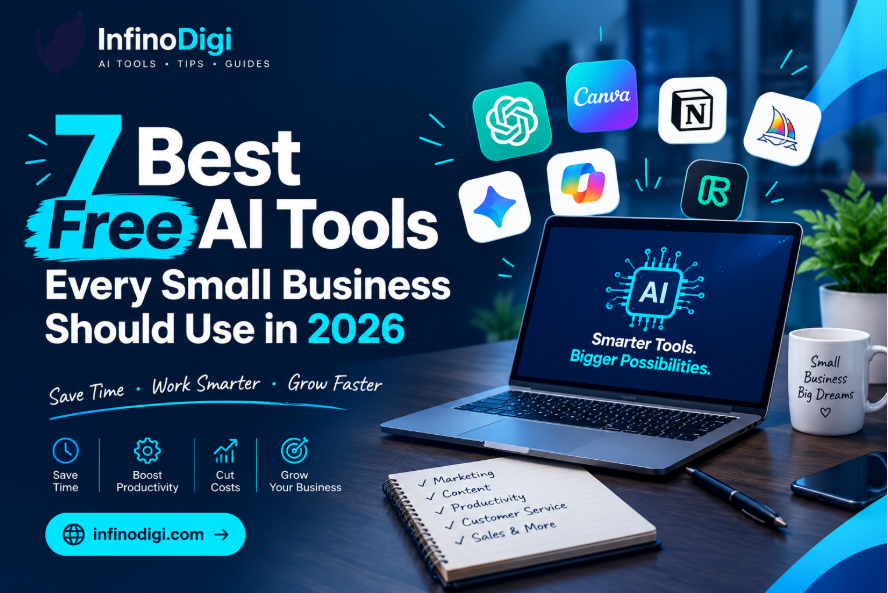
Running a small business in 2026 means wearing ten hats at once. You are the owner, the marketer, the customer service rep, the accountant, and the content creator — all at the same time. Sound familiar?
Here is the good news: artificial intelligence has quietly become the most powerful assistant a small business owner can have — and the best part is that many of the most useful AI tools are completely free.
In this guide, we break down the 7 best free AI tools for small businesses in 2026. These are not just tools we have heard about — these are tools that real business owners are using every single day to get more done in less time, without spending a single extra dollar.
Let us get into it.
- 1ChatGPT — Writing, emails, content, ideas
- 2Canva AI — Design, graphics, social media posts
- 3Google Gemini — Research, summaries, planning
- 4Notion AI — Notes, documents, project management
- 5Grammarly — Writing quality, grammar, tone
- 6Zapier — Task automation, connecting apps
- 7Perplexity AI — Research, fact-checking, answers
The 7 Best Free AI Tools for Small Businesses in 2026
ChatGPT
Best for: Writing, customer emails, content creation, brainstorming
If you have only heard of one AI tool, it is probably ChatGPT. And for good reason — it is one of the most versatile free tools available for small business owners today. ChatGPT can write professional emails, create social media captions, draft blog post outlines, answer customer questions, and help you brainstorm marketing ideas in seconds.
The free version gives you access to GPT-4o, which is genuinely powerful for everyday business tasks. Many small business owners use it first thing every morning to plan their day, draft communications, and tackle tasks that used to take hours.
How Small Business Owners Use ChatGPT
- Writing professional business emails and replies in minutes
- Creating social media captions for Facebook, Instagram and LinkedIn
- Drafting product descriptions for online shops
- Generating blog post ideas and full outlines
- Writing FAQ sections for websites
- Translating content into other languages
Canva AI
Best for: Design, graphics, social media posts, presentations
You do not need to be a designer to create stunning graphics for your business. Canva's AI-powered free plan lets you design social media posts, flyers, presentations, business cards, and even short videos — all with zero design experience.
In 2026, Canva's free tier includes AI tools like Magic Write for generating text, background removal, and thousands of professional templates. For small businesses that need to produce consistent marketing materials without hiring a designer, Canva is an absolute game-changer.
How Small Business Owners Use Canva AI
- Creating professional social media posts in minutes
- Designing flyers, posters and promotional materials
- Building presentations for clients or investors
- Removing backgrounds from product photos instantly
- Creating logo variations and brand materials
- Producing short video content for Instagram Reels
Google Gemini
Best for: Research, planning, summarizing, answering business questions
Google Gemini is Google's free AI assistant, and it is particularly powerful for small business owners who already use Google Workspace tools like Gmail, Docs, and Sheets. Gemini can research topics, summarize long documents, help you write business plans, and answer complex questions with up-to-date information.
What makes Gemini especially useful is its deep integration with Google's search engine. When you ask Gemini a question, it pulls from the latest information available — making it ideal for market research, competitor analysis, and keeping up with industry trends.
How Small Business Owners Use Google Gemini
- Researching competitors and market trends quickly
- Summarizing long business reports and documents
- Drafting business proposals and plans
- Getting answers to complex tax or legal questions (always verify with a professional)
- Analyzing customer feedback and identifying patterns
- Planning content calendars based on trending topics
Notion AI
Best for: Notes, documents, project management, SOPs
Notion is the all-in-one workspace that thousands of small businesses use to stay organized — and its built-in AI layer makes it even more powerful. The free version lets individuals use Notion AI to summarize meeting notes, turn rough bullet points into polished documents, generate first drafts of standard operating procedures, and manage projects all in one place.
If you currently keep your business notes scattered across notebooks, WhatsApp messages, and random documents, Notion will transform how you work. Everything goes in one place, and the AI helps you make sense of it all.
How Small Business Owners Use Notion AI
- Turning meeting notes into clear action items automatically
- Writing standard operating procedures (SOPs) for your team
- Managing projects, deadlines, and tasks in one place
- Creating client proposals from bullet point notes
- Building a content calendar with AI suggestions
- Organizing all business information in a searchable database
Grammarly
Best for: Professional writing, grammar, tone, clarity
Every word you write as a business owner represents your brand — whether it is a customer email, a social media post, a product description, or a proposal. Grammarly's free AI-powered writing assistant checks your grammar, spelling, tone, and clarity in real time, helping you write with confidence and professionalism every time.
The free version works directly in your browser, Gmail, and most popular writing apps. It catches errors you might miss when writing quickly, suggests clearer phrasing, and even adjusts your tone to match the situation — formal for business proposals, friendly for social media.
How Small Business Owners Use Grammarly
- Proofreading customer emails before sending
- Improving the clarity of website copy and product descriptions
- Adjusting tone of messages — formal or casual as needed
- Catching embarrassing spelling and grammar errors
- Making social media posts sound more professional
- Polishing proposals and business documents
Zapier
Best for: Automating repetitive tasks, connecting apps, saving hours
Imagine if every time someone filled out your contact form, their details were automatically added to your email list, a follow-up email was sent, and a task was created in your project management tool — all without you lifting a finger. That is exactly what Zapier does.
Zapier connects over 7,000 apps and automates repetitive tasks using simple "if this, then that" logic. In 2026, its AI layer lets you build automations in plain English — no coding required. The free plan gives you 100 tasks per month, which is enough for many small businesses to start automating their most time-consuming processes.
How Small Business Owners Use Zapier
- Automatically adding new leads to your email list
- Sending instant confirmation emails when orders are placed
- Posting social media updates automatically from a spreadsheet
- Getting notified on WhatsApp when a new inquiry arrives
- Syncing customer information across different platforms
- Creating automatic follow-up reminders for sales leads
Perplexity AI
Best for: Research, finding current information, fact-checking
Perplexity AI is what Google Search would look like if it was powered by AI. Instead of giving you a list of links to click through, Perplexity reads those sources for you and gives you a clear, summarized answer — with citations so you know exactly where the information came from.
For small business owners, this means you can research market trends, find competitor pricing, understand industry regulations, and get answers to complex business questions in a fraction of the time it would take with traditional search. The free tier is genuinely useful and does not require any account signup.
How Small Business Owners Use Perplexity AI
- Researching competitors and industry pricing quickly
- Finding up-to-date regulations and compliance information
- Getting instant answers with source citations for accuracy
- Researching topics for blog posts and content creation
- Understanding new technologies and tools before investing
- Fact-checking information before using it in business materials
Quick Comparison — All 7 Tools at a Glance
| AI Tool | Best For | Free Plan | Difficulty |
|---|---|---|---|
| ChatGPT | Writing & content creation | ✅ Yes | ⭐ Very Easy |
| Canva AI | Design & graphics | ✅ Yes | ⭐ Very Easy |
| Google Gemini | Research & planning | ✅ Yes | ⭐ Very Easy |
| Notion AI | Organization & docs | ✅ Free for solo | ⭐⭐ Easy |
| Grammarly | Writing quality | ✅ Yes | ⭐ Very Easy |
| Zapier | Task automation | ✅ 100 tasks/month | ⭐⭐ Easy |
| Perplexity AI | Research & fact-checking | ✅ No signup needed | ⭐ Very Easy |
How to Get Started — Your First Week Action Plan
The biggest mistake small business owners make with AI tools is trying to use all of them at once. Instead, follow this simple one-week plan to get real results without feeling overwhelmed:
Day 1–2: Start with ChatGPT
Go to chatgpt.com and create a free account. Spend 20 minutes using it to write 5 emails or social media posts you need this week. You will immediately see how much time it saves.
Day 3: Add Grammarly
Install the free Grammarly browser extension. From this point forward, everything you type online will be automatically checked for errors and improved. No effort required.
Day 4–5: Set Up Canva
Create a free account at canva.com. Build 3 social media post templates using your brand colors. Use these templates to create a week of content in one sitting.
Day 6–7: Try Perplexity AI
Go to perplexity.ai (no signup needed). Research your top competitor, a trending topic in your industry, or a question your customers frequently ask. Use what you find to plan your next month of content.
Frequently Asked Questions
Are these AI tools really free to use?
Yes — all 7 tools listed in this guide have genuine free plans that are useful for small business owners. Some tools offer paid upgrades with extra features, but you can get real value from the free versions without spending anything. We have focused only on tools where the free plan is genuinely useful, not just a limited trial that expires after 14 days.
Do I need technical skills to use these AI tools?
No technical skills are required for any of these tools. They are all designed for everyday users, not developers or tech experts. If you can type a message on WhatsApp, you can use all 7 tools in this guide. The hardest part is simply signing up — and we have guided you through that above.
Which AI tool should I start with as a complete beginner?
Start with ChatGPT. It is the most versatile tool on this list and gives you instant results for the widest range of tasks. Once you are comfortable using ChatGPT daily, add Grammarly and Canva to your workflow. Those three tools alone can transform how much you get done in a day.
Is it safe to use AI tools for my business?
Yes, these tools are used by millions of businesses worldwide and are safe for everyday business use. However, avoid entering sensitive personal data, confidential financial details, or private customer information into AI tools. Use them for general tasks like writing, design, and research, and always review AI-generated content before publishing or sending it.
Can these tools replace my employees?
AI tools are assistants, not replacements. They handle time-consuming, repetitive tasks so you and your team can focus on work that genuinely requires human judgment, creativity, and relationships. Think of AI as giving every member of your team a powerful assistant that works at the speed of a computer.
Ready to Start Using AI in Your Business?
Explore more free guides, honest tool reviews and weekly AI tips — all written specifically for small business owners like you.
Read More Free Guides →Final Thoughts
The playing field for small businesses has never been more level. With the 7 free AI tools in this guide, you have access to the same productivity-boosting technology that large corporations spend thousands of dollars on every month — completely free.
ChatGPT for writing. Canva AI for design. Google Gemini for research. Notion for organization. Grammarly for professional communication. Zapier for automation. Perplexity for research. Together, these tools can give you back hours every single week — hours you can invest in actually growing your business.
Start with one tool today. Master it. Then add the next. Before you know it, AI will be your most valuable and hardest-working team member — and it will not cost you a penny.
If you found this guide helpful, subscribe to our weekly newsletter below. Every week we send practical AI tips and new tool reviews directly to your inbox — completely free.
InfinoDigi Team
InfinoDigi is dedicated to helping small business owners grow smarter using artificial intelligence. We test, review and explain AI tools in plain English — no tech background required. New guides published every week.